Speech to Textspeech-to-text.co

Speech to Text Converter Online - Transcribe Audio, Video & Voice Recording

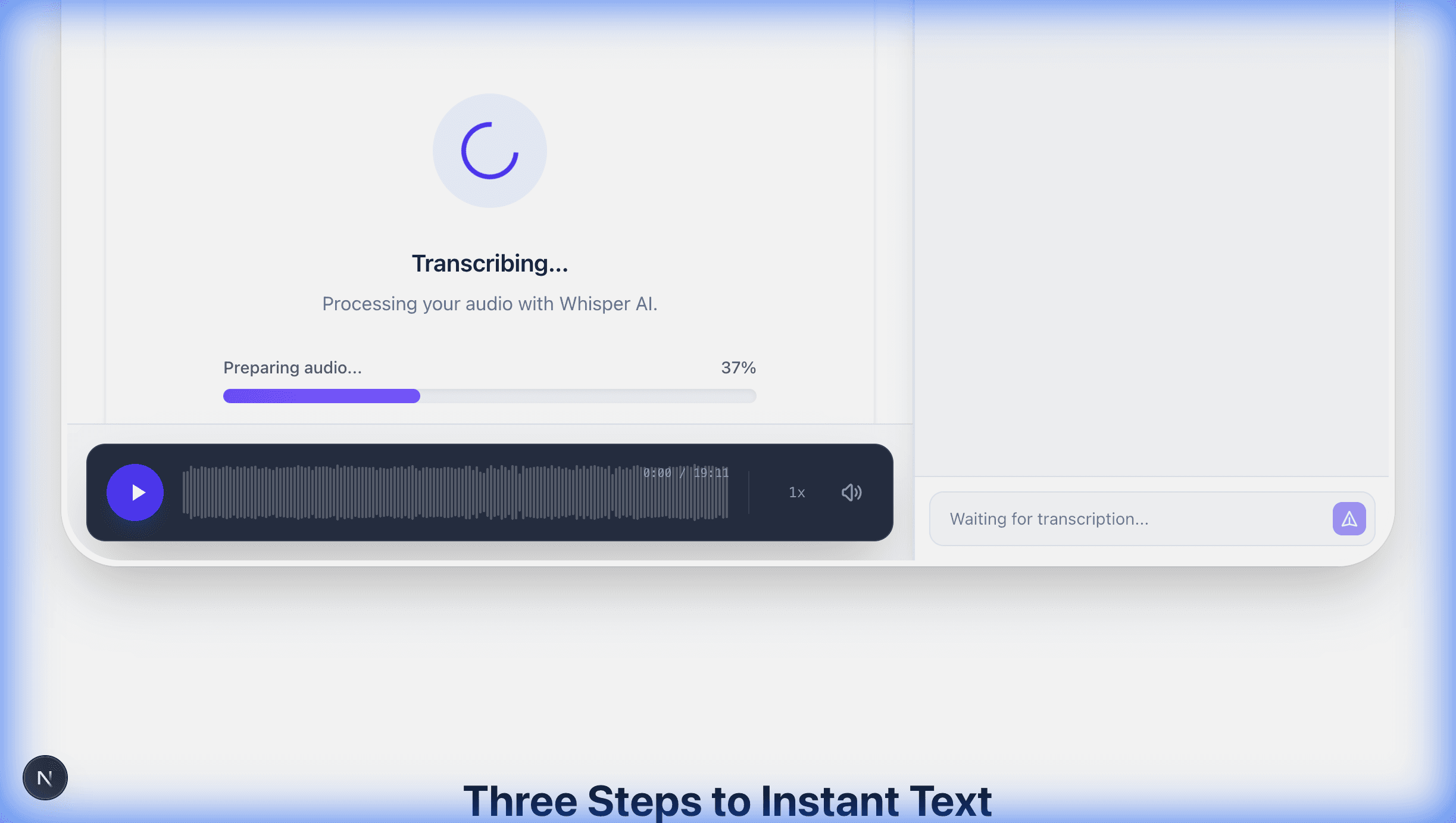
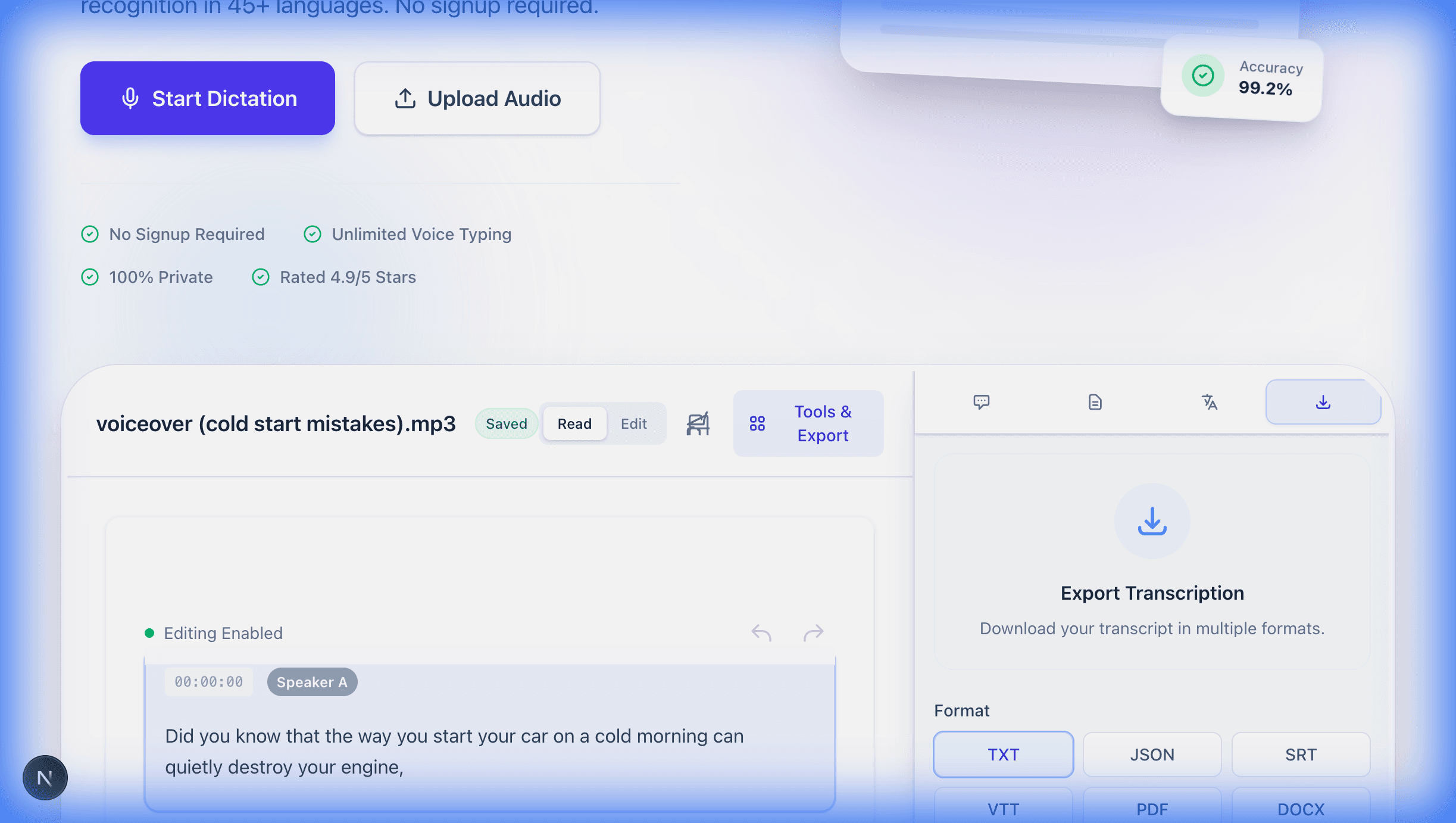
Upload any audio or video file and get accurate text in seconds. Our free speech to text converter handles MP3, WAV, WhatsApp voice messages, and over 50 languages. No signup required and no software to download.

Drop your audio file here or click to browse

Supports MP3, WAV, M4A, MP4, and more

What Is an Audio to Text Converter and How Does It Work?

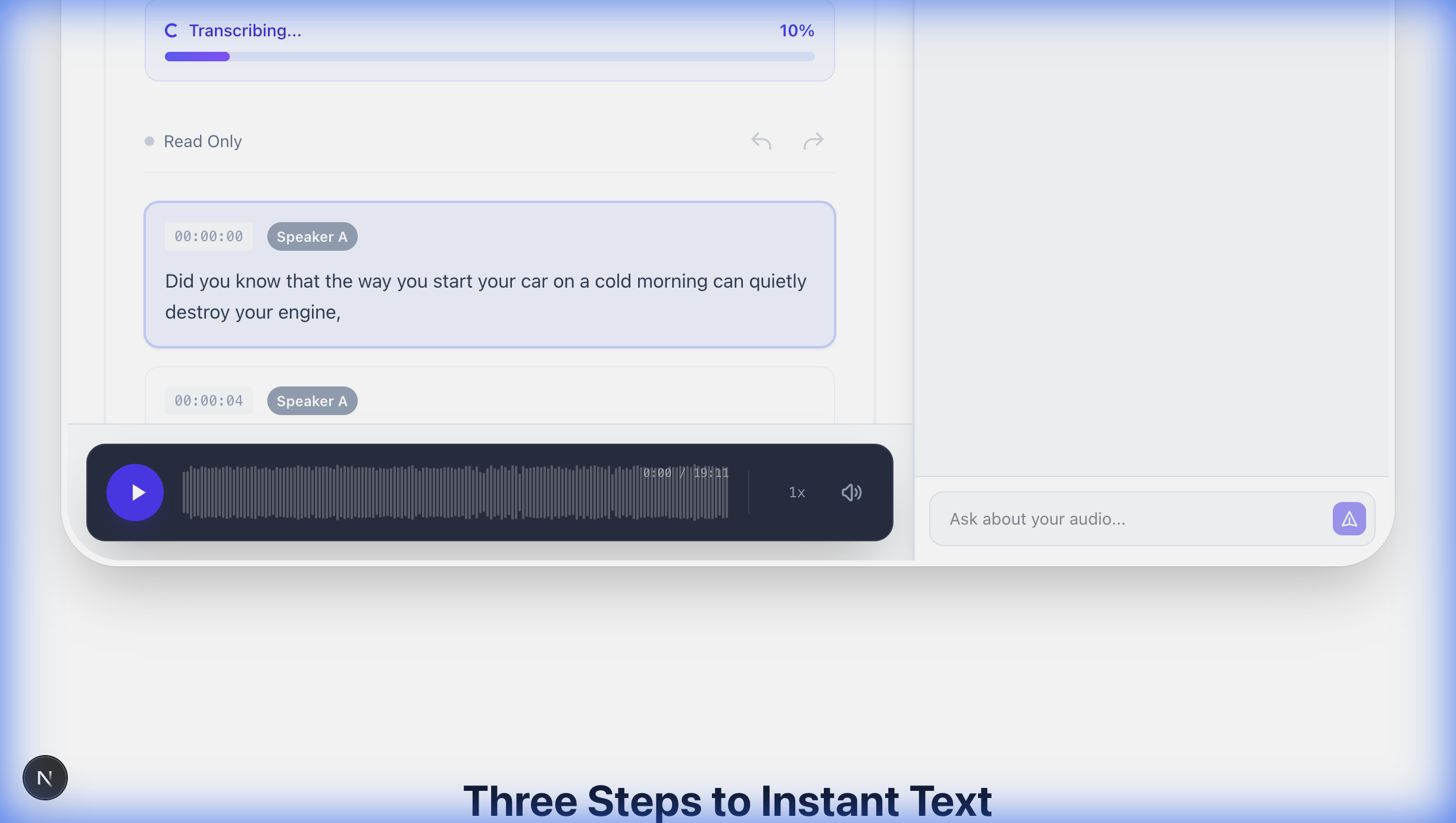
An audio to text converter transforms spoken words into written text. You upload a file, the tool analyzes the audio, and it delivers a transcript you can edit, copy, or download.

The technology uses AI-powered speech recognition to detect sound waves and identify speech patterns. It matches those patterns to words and adds punctuation automatically based on pauses and tone.

Our converter supports MP3, WAV, MPEG, OGG, OPUS, AAC, and many other formats. Every file gets optimized before processing, and background noise reduction happens automatically.

No training or setup is required. Upload your file and start immediately because the AI adapts to any speaker.

Understanding the technology is just the beginning. Why do professionals and businesses rely on audio to text conversion every day?

Why Professionals Choose Free Online Transcription

Time savings matter the most. Manual transcription takes four to six hours for every hour of audio, but our tool does it in minutes. That gives you hours back in your day.

Accessibility improves as well. Text transcripts help people with hearing difficulties access your content, and many regions require this by law. Readers who prefer text over audio also benefit.

Search becomes instant once audio becomes text. Need that quote from last month's meeting? Search the transcript and find it in seconds instead of scrubbing through an audio file.

These benefits extend far beyond individual productivity. Teams across every industry use transcription to transform how they capture and share recorded conversations.

Turn Recorded Conversations into Text Documents

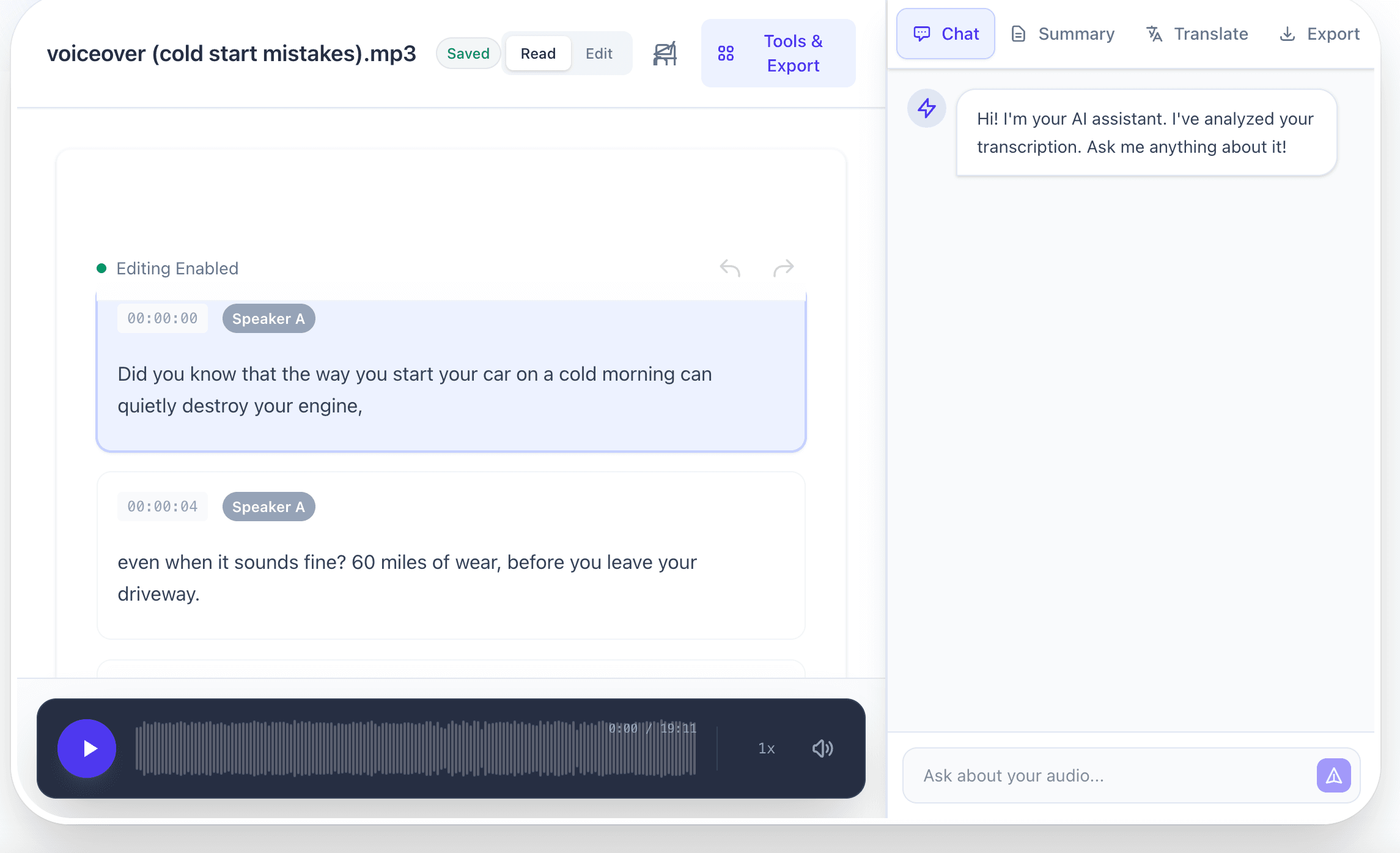
Meeting notes write themselves when you use transcription. Record your team call and get a full transcript showing who said what. Everyone reviews the actual conversation instead of relying on incomplete notes.

Our voice to text converter handles multiple speakers effectively. It distinguishes between different voices and tracks speaker changes throughout the recording. This works with Zoom recordings, Teams calls, or any conference setup.

Customer service teams use transcription for quality control. They convert calls to text and search for complaints or product mentions. This makes it easy to spot patterns across thousands of calls that would be impossible to find by listening.

Transcription works equally well for archived recordings. Those old audio files sitting in your folders can become searchable text libraries.

Create Searchable Content Libraries from Audio Archives

Searchability is where transcription truly shines. You probably have hours of recordings buried in folders, including meetings from last quarter and interviews from last year. Finding anything specific in those audio files takes forever.

Transcribe those files and everything changes. Press Ctrl+F, search any keyword, and jump straight to what you need.

Content creators benefit from significant SEO gains because Google cannot index audio. Publish transcripts alongside your videos and every word becomes searchable. YouTube creators who add transcripts see higher rankings because the algorithm understands their content better.

Beyond search rankings, transcripts unlock new ways to work with your content. Understanding which audio formats work best will help you get the most accurate results.

Upload 14+ Audio and Video Formats up to 200MB

We support all major audio formats including MP3, WAV, M4A, FLAC, OGG, AIFF, WMA, OPUS, and AAC. Video files are also supported, including MP4, MOV, AVI, MKV, and WebM.

You will never have compatibility headaches. Whether your phone saves voice memos as M4A, your professional gear outputs WAV, or your podcasts are distributed as MP3, everything works.

Format detection is automatic, so you do not need to select anything. Just upload your file up to 200MB and get your transcript.

While file format matters, audio quality has an even bigger impact on accuracy. Here is how to get the best results from your recordings.

Get Maximum Accuracy from High-Quality Audio

Audio quality affects accuracy significantly. WAV and FLAC files work best because they are uncompressed and every detail stays intact. Use lossless formats for legal or medical work where precision matters.

MP3 works well for most purposes. At 128kbps or higher, accuracy stays excellent because modern speech recognition handles compressed audio effectively.

WhatsApp voice messages use OPUS format, and we handle those directly without any conversion. The same applies to OGG and AAC files, so upload whatever you have.

Sample rate also matters. The ideal is 44.1kHz, though we support down to 16kHz minimum. Higher sample rates help with high-pitched voices or speech mixed with music.

What about video files? You can transcribe those just as easily as audio.

Extract and Transcribe Audio from Any Video File

Video transcription works automatically. Upload an MP4 video and our system pulls out the audio track, processes the speech, and gives you a complete transcript. You never need to touch any video editing tools.

YouTube creators use this constantly. Make your video, upload the file here, and get captions in minutes. Those captions help your video rank higher, let people watch without sound, and make content accessible to more viewers.

The same applies to training videos and lectures. Convert them to text and students get study guides. Different learning styles get served, and the content becomes searchable.

You can also convert video formats if you just need the audio. We can extract MP3 from MPEG and skip the video entirely.

Transcribe Audio in 30+ Languages with Automatic Detection

We support over 30 languages with high accuracy, including English, Spanish, French, German, Hindi, Arabic, Mandarin, Japanese, Korean, Portuguese, Italian, Russian, and many more.

Language detection happens automatically. The AI figures out what is being spoken within a few seconds, so you never need to pick from a menu. Just upload your file and it works.

Each language gets its own specialized processing. Spanish needs different handling than English. Mandarin is tonal, so the system listens for pitch changes. Arabic reads right-to-left, but our transcripts format correctly.

This multilingual capability transforms how international users handle voice messages and recordings from different regions, making global communication more accessible than ever.

Convert International Voice Messages and Audio Recordings

Indonesian users rely on this tool for WhatsApp messages. We handle Bahasa Indonesia perfectly, and it works with the same reliability as English processing.

Spanish speakers use our free online service regularly for interviews, meetings, and voice memos. All content gets converted to Spanish text with proper accents and punctuation. The system handles different Spanish dialects, recognizing that Mexican Spanish sounds different from Castilian Spanish.

German audio gets special treatment as well. We handle compound words properly and capitalize nouns correctly. German grammar is complex, but the output looks natural.

The same applies to Hindi audio to text, Tamil, and Telugu. Each language uses models trained specifically on native speakers.

AI-Powered Translation for Transcribed Text in 100+ Languages

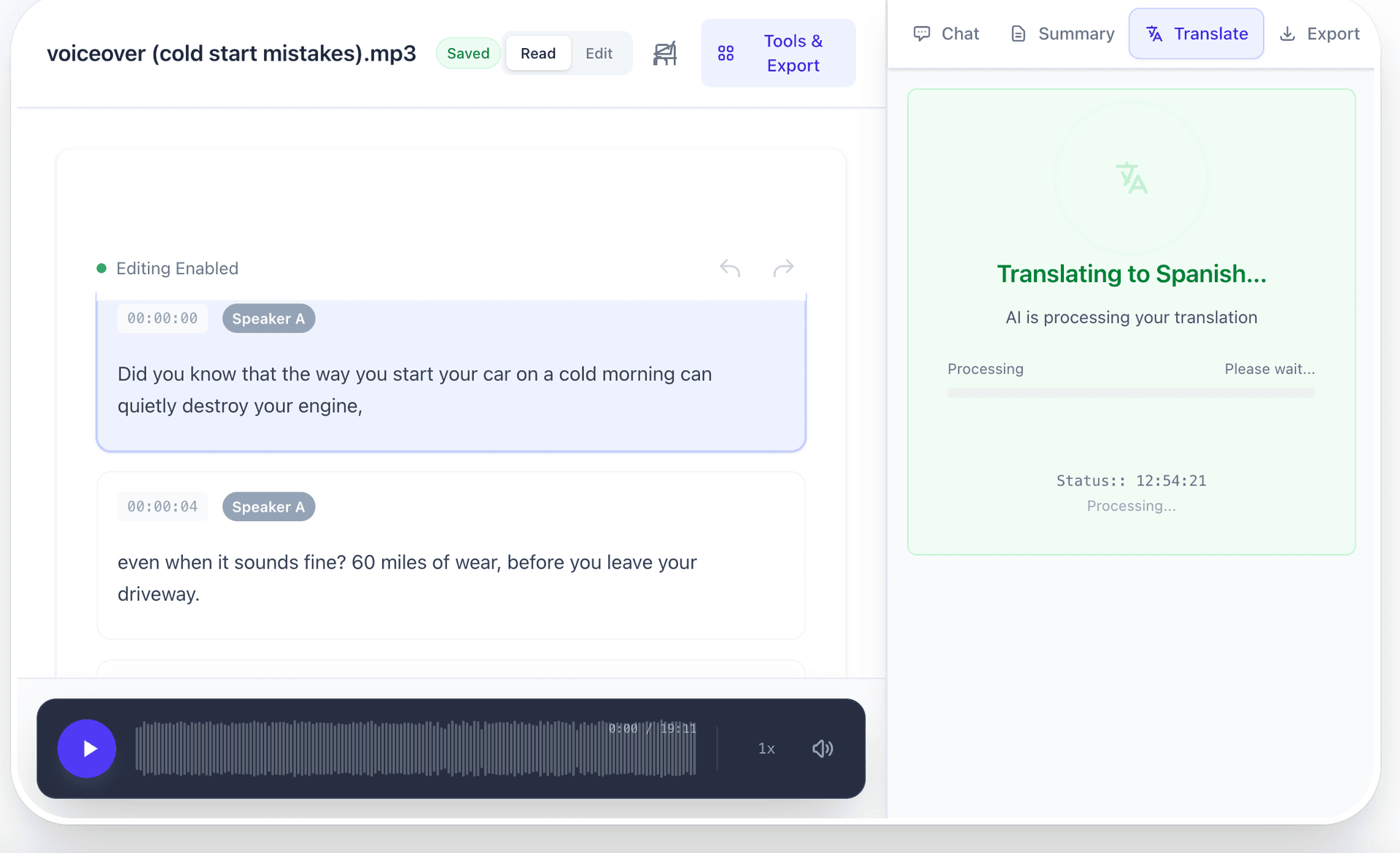
After transcribing your audio, you can translate the text to over 100 languages using advanced AI translation. Simply transcribe first, then translate the resulting text to any language you need.

Common uses include translating foreign meetings to English, converting transcripts between major languages like Spanish, French, German, and Chinese, and making international content accessible to global audiences.

Business teams benefit tremendously by translating meeting transcripts so everyone can review discussions in their preferred language. Content creators expand their reach by translating podcasts and videos into multiple languages.

The translation maintains the original meaning and context while adapting to natural language patterns. This makes it perfect for professional communication across language barriers.

AI-Powered Summarization and Advanced Features

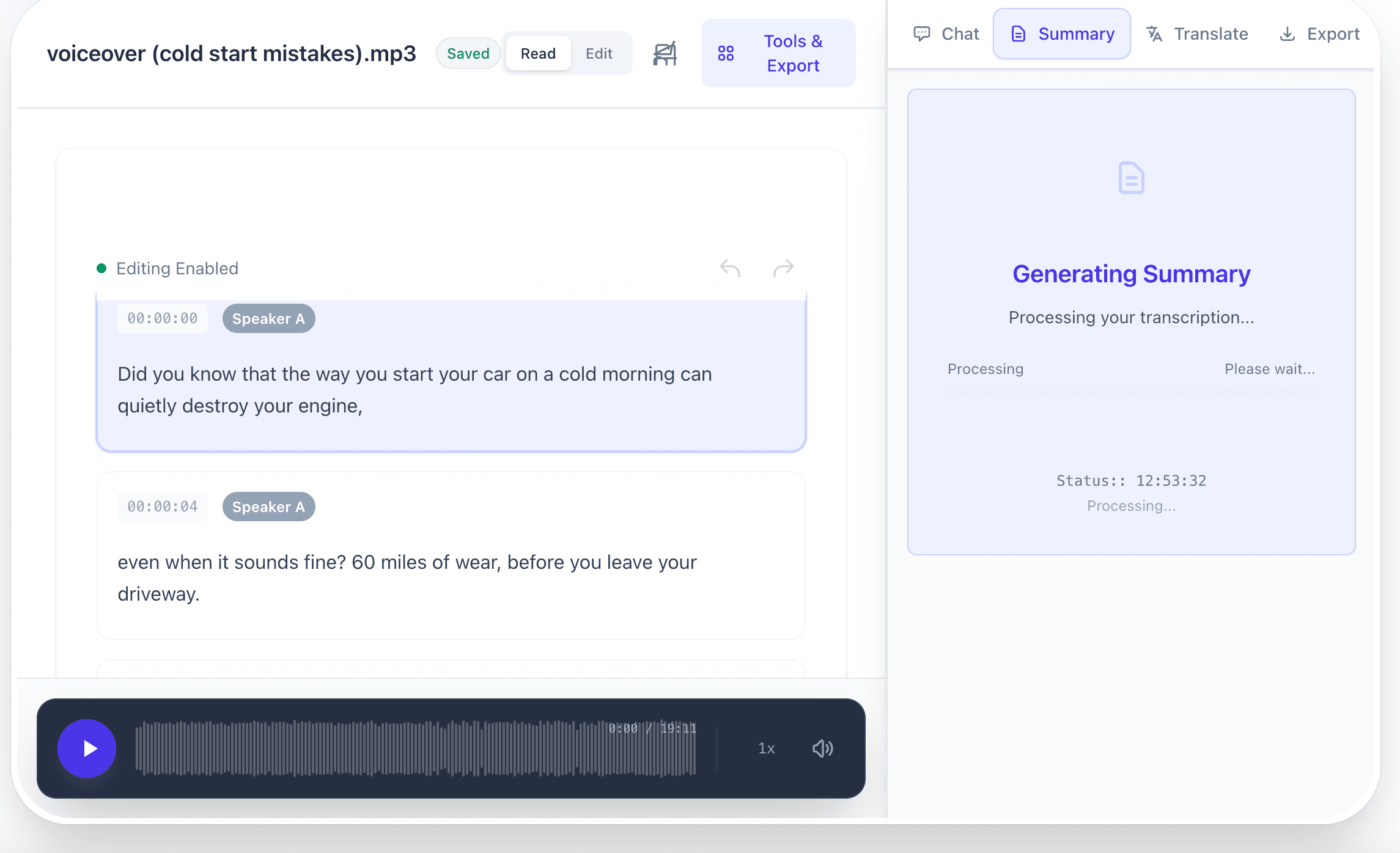
Transform long transcriptions into concise summaries with AI-powered analysis. Our advanced algorithms identify key points, extract important insights, and create readable summaries that save you hours of reading time.

This works perfectly for processing meeting recordings, lecture transcriptions, and interview content. The AI understands context and relevance, highlighting what matters most while filtering out filler content and repetitions.

Create executive summaries from hour-long meetings in seconds. Generate study notes from lecture recordings. Extract key decisions from project discussions. The possibilities for productivity gains are endless.

Combined with our translation capabilities, you can summarize content in one language and then translate it to another. This makes international collaboration more efficient than ever before.

How Accurate Is Our Speech Recognition Technology?

You will get 85 to 95 percent accuracy on clear recordings. Professional setups usually hit 90 percent or higher.

What does 90 percent mean in practice? About one error per ten words. These errors are usually small things like wrong articles, missed prepositions, or similar-sounding words. You will not see complete gibberish.

For a 1000-word transcript, expect around 100 small fixes needed. This is still dramatically faster than typing everything manually from scratch.

Audio quality is the biggest factor affecting accuracy. A good microphone in a quiet room delivers excellent results. A built-in laptop mic in a noisy coffee shop will cause accuracy to drop significantly.

Optimize Your Audio for Maximum Transcription Accuracy

Air conditioning hum, traffic outside, keyboard typing, and people talking in the background all affect results. These sounds can drop accuracy by 10 to 20 percentage points.

Record in quiet spaces whenever possible. Position yourself closer to the microphone, ideally six to twelve inches from your mouth.

Microphone quality matters more than most people realize. Laptop mics are far from your mouth and pick up everything in the room. USB microphones or headset mics sit close to your mouth and provide better signal quality. This alone can improve accuracy by 20 percentage points or more.

Multiple speakers add complexity because the system has to figure out who is talking when. Results are better when people take turns speaking rather than talking over each other.

Technical terms sometimes get transcribed phonetically. Medical jargon, legal terms, and brand names are not common in training data, so the AI may guess. You can add custom vocabulary for terms you use frequently.

Perfect for Content Creators Who Want to Repurpose Audio

Record once and use everywhere. One podcast episode becomes a blog post, social media quotes, email newsletter content, and video descriptions. All of this comes from the transcript.

Podcasters need show notes for every episode. The transcript becomes your show note with minimal effort. You also get quotes for Instagram posts and episode summaries for potential listeners. All generated from that one transcript.

YouTube creators need captions for accessibility and SEO. Videos with captions rank better in search results. People watch without sound all the time, especially on mobile devices. Non-native English speakers benefit from captions as well.

Generate SEO-Optimized Content from Voice Recordings

Publishing transcripts alongside your videos improves your search rankings. Google indexes the text while ignoring the audio. Your video becomes findable through search, and creators who add transcripts often see traffic increase dramatically.

You can also use voice typing for live content creation. Speak naturally and text appears instantly on screen. Writers produce thousands of words per hour using this method. Business professionals draft reports without touching a keyboard.

Social media content becomes easier as well. Pull quotes from your transcript and format them as posts. One hour of audio gives you weeks of social content ready to publish.

Professional Use Cases for Meetings, Interviews, and Documentation

Professionals in every industry use transcription daily.

Common applications include meeting minutes, interview transcripts, legal depositions, medical notes, customer service analysis, market research, and academic studies. Any time you need audio converted to text, transcription helps.

Meeting documentation happens automatically now. Record the meeting, get the transcript, and you are done. No more needs for a designated note-taker, and everyone can focus on the actual discussion.

Interview transcription serves journalists, researchers, and HR professionals alike. Journalists need accurate quotes. Researchers analyze interview data systematically. HR teams review job interviews objectively.

Legal and Medical Documentation Requirements

Legal work demands high accuracy. Depositions, witness statements, and client consultations all get recorded and transcribed. Lawyers search transcripts for specific testimony, compare what different witnesses said, and prepare for cross-examination. This process is significantly faster than reviewing audio recordings.

Medical transcription improves patient care as well. Doctors record visits and get complete notes without typing during the consultation. The transcript captures symptoms, treatment discussions, and medical advice while creating documentation for insurance and legal protection.

Customer service teams use transcription for quality assurance at scale. Manually reviewing thousands of calls is impossible, but transcripts can be analyzed quickly. Teams find complaint patterns, check script compliance, and track performance metrics.

Market research teams transcribe focus groups and user interviews because they need those transcripts for thorough analysis. Finding themes across dozens of interviews requires text, not audio.

Convert WhatsApp Voice Messages to Readable Text Instantly

WhatsApp voice messages are everywhere, but sometimes you just want to read them instead of listening. Our tool converts WhatsApp audio to text and can also convert the OPUS format to MP3 if you need that. This makes voice notes readable and easy to share.

Save the voice message to your phone first. WhatsApp uses OPUS format for these recordings. Upload that file here and get text back immediately.

Sound of text apps are extremely popular in Indonesia and other markets. Over two billion WhatsApp users globally prefer text over voice in many situations.

Why Professionals Need WhatsApp Transcription

Time is the main reason people transcribe voice messages. Reading takes seconds while listening to a voice note requires your full attention. You simply cannot skim a voice message.

In meetings or public spaces, you cannot play audio without disturbing others. But you can read text quietly without needing headphones.

Reference and searching become easier with text. Scrolling through text conversations takes seconds, but searching through voice message archives is nearly impossible. Text messages can be copied, shared, and forwarded to colleagues.

Work environments are often quiet. Playing voice messages out loud is not practical, but transcribing them solves this problem entirely.

How to Save WhatsApp Audio as MP3 Files

WhatsApp uses the OPUS codec for voice messages, but MP3 is more universally compatible. Converting OPUS to MP3 gives you broader compatibility with more editing software, more devices, and more media players.

Download the voice message from WhatsApp, upload the OPUS file here, and select MP3 as the output format. The conversion takes only seconds.

For voice content, 128kbps MP3 is sufficient quality. Higher bitrates do not improve speech quality and only waste storage space.

Batch conversion helps when you have many messages to process. Upload multiple files at once and convert them all together.

How to Use Voice Typing for Live Transcription

Voice typing converts your speech to text in real-time as you speak. It works in word processors, email clients, browsers, and notes apps. Click the microphone icon, start talking, and text appears immediately.

Accuracy depends on clear speaking and a decent microphone setup. Speak naturally without going too fast or too slow, and position your mic six to twelve inches away from your mouth.

Productivity gains are substantial. Authors draft chapters by speaking and produce thousands of words per hour. Business professionals draft emails and reports hands-free. Students write assignments while walking or exercising.

Voice Typing in Microsoft Word

Recent versions of Word have built-in dictation. Click the microphone in the ribbon, start speaking, and text appears in your document with automatic capitalization and basic punctuation.

The feature supports over 60 languages, and you can switch between them without closing Word. This is especially useful for multilingual documents.

Voice commands work as well. Say bold that to format text, start list for bullets, or new line for line breaks. You can format your entire document by voice alone.

Accuracy in Word is solid. Office 365 versions use cloud AI that gets better over time as it learns your speaking patterns.

Voice Typing on Mobile Devices

Your phone keyboard has a microphone button that works in every app. Both iOS and Android support voice to text universally across messages, email, notes, and browsers.

Mobile voice typing excels at short content like text messages, quick emails, and social posts. It is three to four times faster than typing with your thumbs for most people.

The system handles multiple languages mid-sentence. Bilingual users can code-switch naturally, and the system detects the language change automatically.

Accuracy on mobile devices is excellent now. 5G connectivity helps with cloud processing, while local processing provides privacy when you are not connected.

What Is the Difference Between Speech to Text and Text to Speech?

These are opposite technologies. Speech to text converts audio into written text, which is transcription. That is what we do here.

Text to speech converts written text into spoken audio, which is synthesis. This is different technology with different applications.

Speech to text helps with documentation needs like meeting transcripts, dictation, subtitles, and interview notes.

Text to speech helps with content consumption like audiobooks, voice assistants, accessibility for blind users, and listening to articles while driving.

When to Use Text to Speech Conversion

Multitasking is the main use case for text to speech. Convert articles to audio and listen while driving, exercising, or cooking. You can stay informed without looking at screens.

Accessibility matters as well. Blind and low-vision users rely on screen readers. E-books with text to speech help people with reading difficulties access content.

Language learning benefits from hearing proper pronunciation. Vocabulary lists spoken aloud and grammar examples with proper intonation help learners understand the language better.

Content creators use text to speech for voiceovers. They convert scripts to audio using AI voices, which is quick and affordable for explainer videos and tutorials.

How Text to Speech Tools Create Natural Sounding Voices

Neural networks trained on hundreds of hours of speech power modern text to speech. These models learn rhythm, intonation, and emphasis to understand how humans actually talk. This sounds significantly more natural than old robotic synthesis.

Prosody is the key to natural speech. This refers to the rhythm and stress patterns that make speech sound human. Advanced models predict which words need emphasis, where to pause, and how pitch should change.

You can choose different voice types including professional female voices, friendly male voices, and different accents. Some systems let you adjust speaking rate and pitch for further customization.

Real-time synthesis makes virtual assistants possible. Text converts to speech instantly without any noticeable delay.

How Businesses Benefit from Audio Transcription

Customer service analysis requires call transcription. Contact centers record thousands of calls and cannot manually review that volume. Transcription converts calls to searchable text for analyzing complaints, feedback, and training needs. Algorithms can categorize calls automatically and flag issues for review.

Sales teams improve through conversation analysis. They record calls, transcribe them, and managers identify what works. This allows effective coaching of team members and verification of script compliance.

Meeting productivity increases with complete records. Transcribe all meetings and there are no disputes about what was decided. Remote workers catch up easily, and decisions become searchable for future reference.

Content marketing scales through transcription. Record interviews, webinars, and videos, then convert them to blog posts, social content, and newsletters. One hour-long interview becomes five to ten blog posts.

How Audio Transcription Improves Customer Experience

Response time gets faster with transcription. Support representatives search transcript archives, find solutions to common issues instantly, understand issue history, and provide consistent answers. This is much better than listening through old call recordings.

Training improves when new representatives study transcript examples. They can review successful problem resolutions, learn product terminology, and see effective communication techniques in action.

Compliance verification scales through transcript analysis. Finance and healthcare organizations need proof of required disclosures. Automated analysis flags missing mandatory language and protects companies from violations.

Personalization comes from conversation analysis. Transcripts reveal customer preferences, pain points, and needs. This information informs product development, improves marketing, and leads to better service.

What Industries Rely Most on Audio Transcription?

Legal services need transcription for everything. Depositions, court proceedings, and client meetings all generate hours of recordings. Lawyers convert these to searchable text for case preparation. Attorneys billing high hourly rates cannot afford to transcribe manually.

Healthcare uses medical transcription constantly. Patient records, consultation notes, and diagnostic dictations are all common. Doctors speak observations during visits, which creates better records than typing. This supports continuity of care.

Media companies transcribe interviews, podcasts, and videos routinely. Every podcast needs show notes. Videos need subtitles. Journalists need accurate quotes.

Academic research generates significant transcription needs. Qualitative studies involve dozens of interviews that must be transcribed for analysis. Conference recordings, focus groups, and lecture captures all require text versions.

Market research relies on transcription for consumer feedback. Focus groups, user testing, and customer interviews all need transcripts before analysis can begin.

How Secure Is Online Audio Transcription?

Security matters when uploading audio files. Reputable services encrypt files during upload and storage, use secure servers, and delete files after processing. Understanding these measures helps you decide what content is appropriate for online transcription.

Client-side processing offers maximum privacy. Transcription happens in your browser, so files never leave your computer. There is no data breach risk, which makes this appropriate for confidential content.

End-to-end encryption protects files during transmission. Even if data is intercepted, it remains unreadable without decryption keys.

GDPR and HIPAA compliance matters for certain users. European users need GDPR compliance, while healthcare providers need HIPAA compliance.

Cloud-Based or Local Transcription?

Cloud transcription offers convenience. You upload files to powerful servers and get fast, accurate results. No software installation is needed, and it works on any device with internet access. Updates happen automatically.

Local transcription offers privacy. You process audio on your own computer without uploading to third-party servers. This is essential for classified information, legal recordings, and medical content.

Accuracy differences have narrowed over time. Cloud services access bigger models, but local software on powerful computers now achieves comparable results. Specialized vocabulary might still benefit from cloud services.

Cost depends on your usage patterns. Cloud services typically charge per minute, which is economical for occasional use. Heavy users benefit from local software despite the higher upfront cost.

Additional Format Conversion Tools

We handle format conversion in addition to transcription. Convert MPEG to WAV, MP3 to OGG, OPUS to MP4, or AAC to MP4. Get the format you need for compatibility with your software.

Need to convert a voice memo to MP3? It happens instantly. Need OPUS to WAV for audio editing? It takes seconds. Need OGG to WAV for legacy systems? We support that fully.

Different formats serve different purposes. WAV and FLAC work best for professional audio work. MP3 is ideal for distribution. OGG suits open-source projects. OPUS excels at web streaming. AAC works perfectly with Apple devices.

Batch Processing for Multiple Files

You can process multiple files at once. Upload dozens of recordings together and get all transcripts or conversions together. This is a significant time saver for meeting archives or podcast collections.

Everything works through your browser without any software installation. Windows, Mac, Linux, iOS, and Android are all supported.

You can combine format conversion with transcription. Extract audio from video and then transcribe it. Alternatively, convert uncommon formats to MP3 and then transcribe. Complete workflows happen in one place.

Start Transcribing Your Audio Files Now

Upload your first file and see how it works. No registration is needed for basic transcription. There is no download required and no credit card needed. Simply upload your file and receive your transcript.

Our online voice recorder lets you record directly in your browser and transcribe immediately. No need to switch between different tools.

Whether you have a single voice memo or hours of content, we handle both. Thousands of professionals, students, and creators use this daily.